A CRM that already knows your sales
Notes, contacts, follow-ups and quotes sit right beside each customer's sales, so everyone knows who to call, what was promised and which quotes became orders. Your customers, reps and access rules come straight from WyzeSales, so there is nothing to set up and no second system to keep in step.
From a warning in your sales to a won order
The CRM picks up where the sales figures leave off.
Spot it
A customer shows up in Needs attention, slips into a cooling segment or appears on Not contacted: buying, but nobody has been in touch for weeks.
Follow up
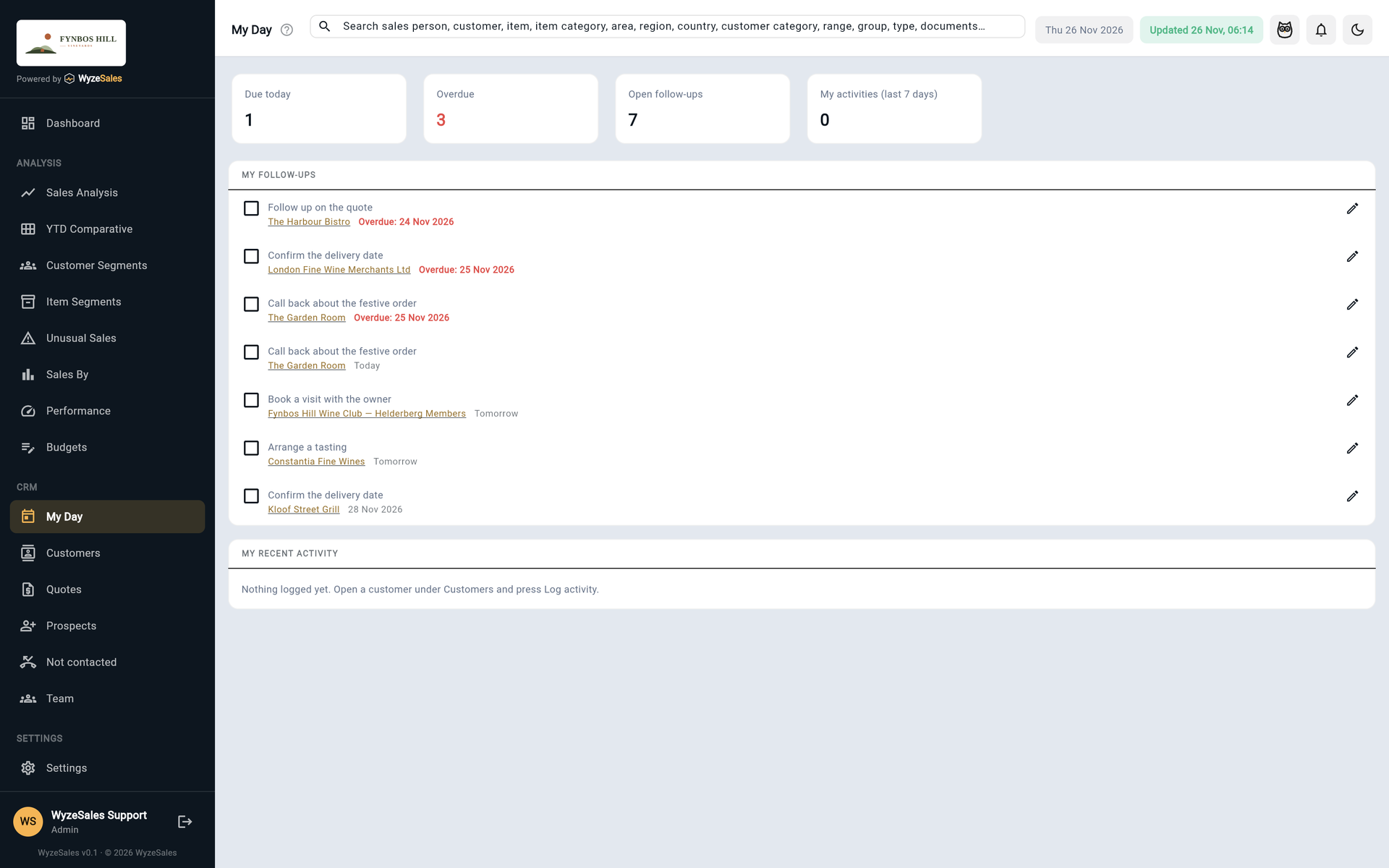
One click makes a follow-up with a due date. It appears on My Day, overdue first. A manager can give it to the rep who looks after the customer.
Record it, and see the result
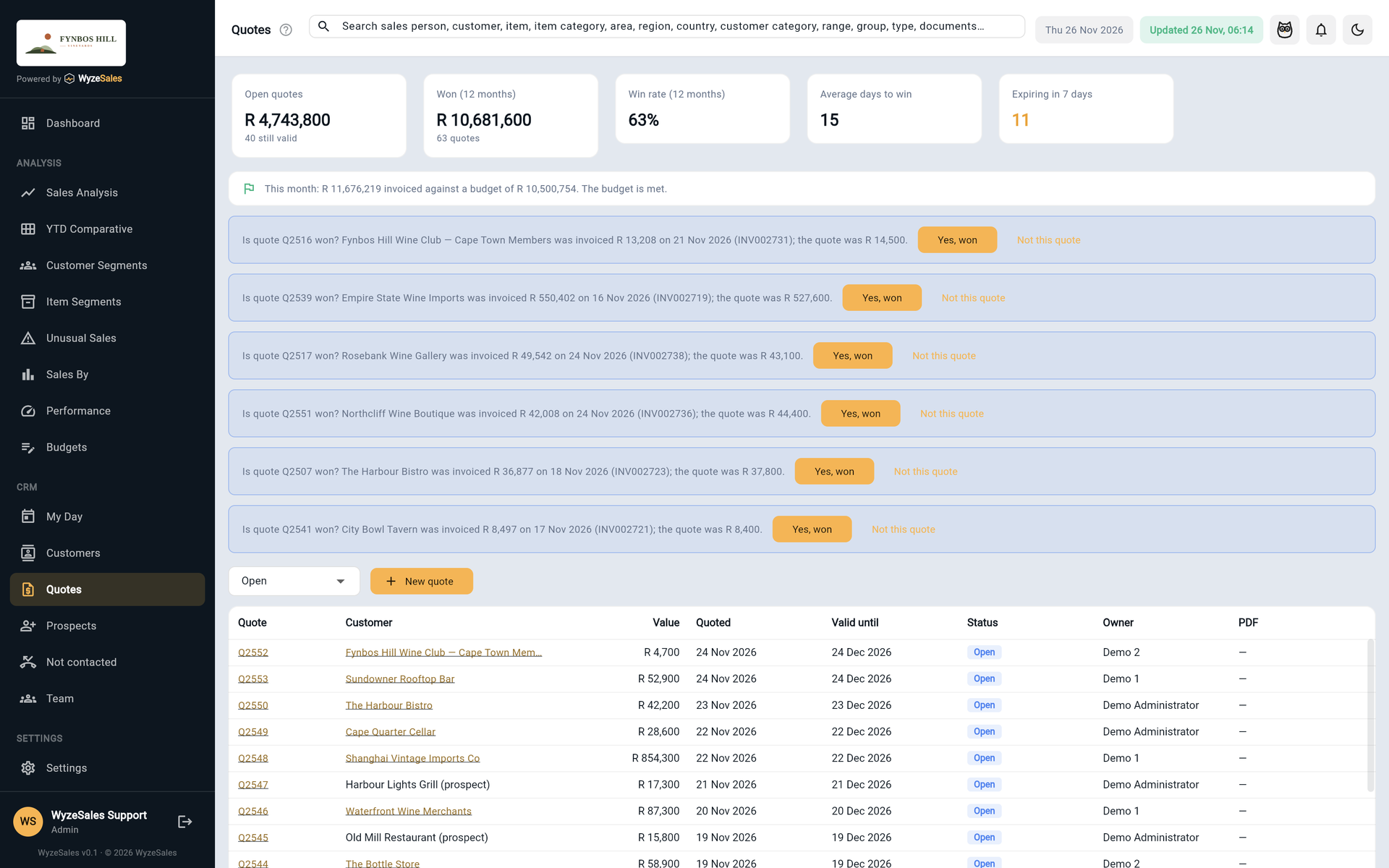
Log the call or visit and attach the quote PDF. When an invoice that matches the quote arrives from your ERP, WyzeSales asks whether the quote is won.
Everything about a customer, in one place
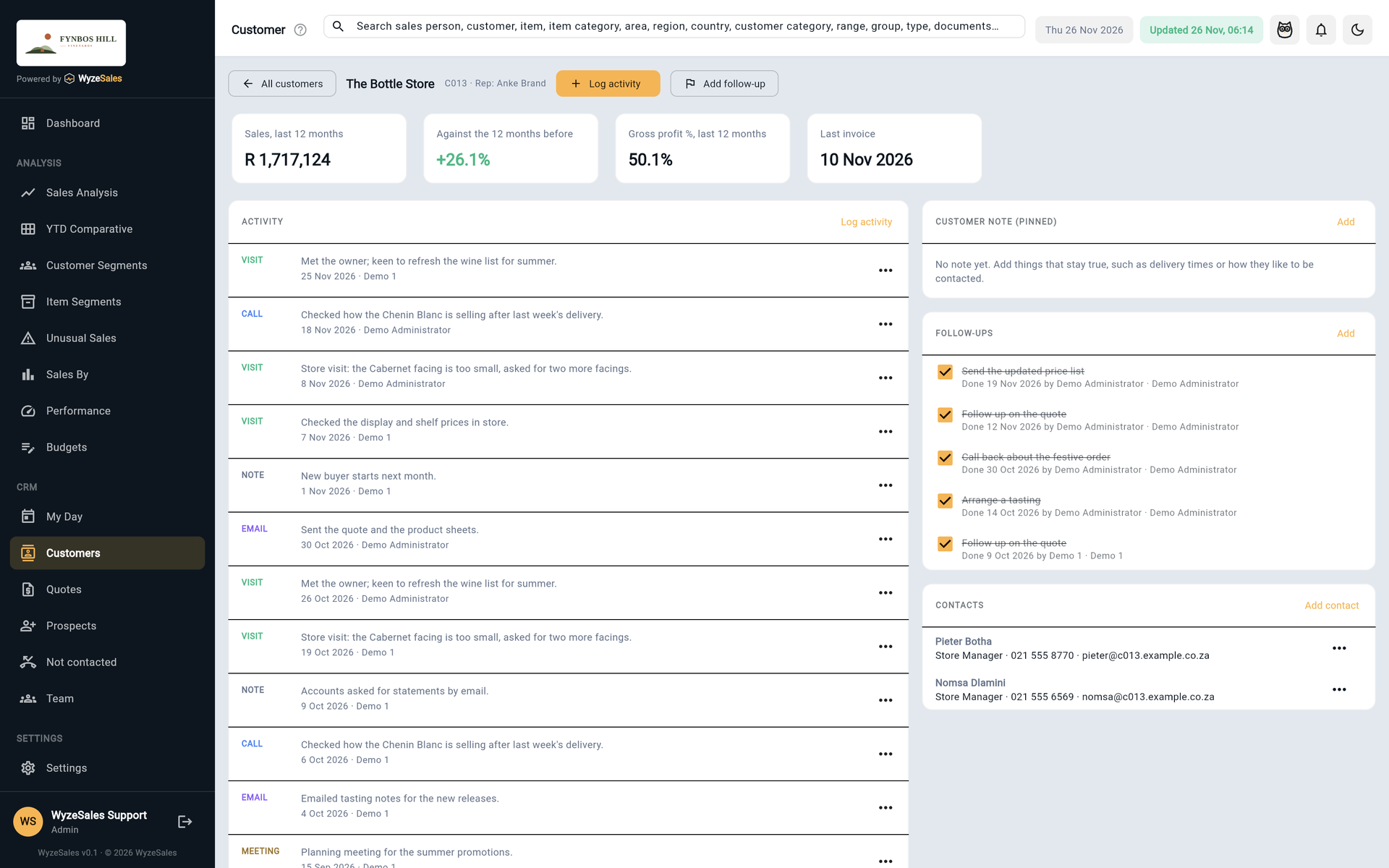
- Activity logCalls, visits, emails, meetings and notes against each customer, with who made each one and when.
- Contacts and a pinned noteThe people at each customer and their roles, and a note for what always holds true for that account.
- Follow-ups that do not slipEach one has an owner and a due date. My Day lists yours, overdue first, beside your recent activity.
- Quotes with the PDFRecord each quote with its value, valid-until date and PDF. Mark it won or lost, with the reason: price, timing, competitor or no budget.
- Quotes matched to invoicesQuotes are made outside the ERP, so WyzeSales looks for an invoice for the same customer close to the quote's value and asks if it is the won order.
- ProspectsQuote companies that are not customers yet. When they open an account in your ERP, link them and their quotes move across.
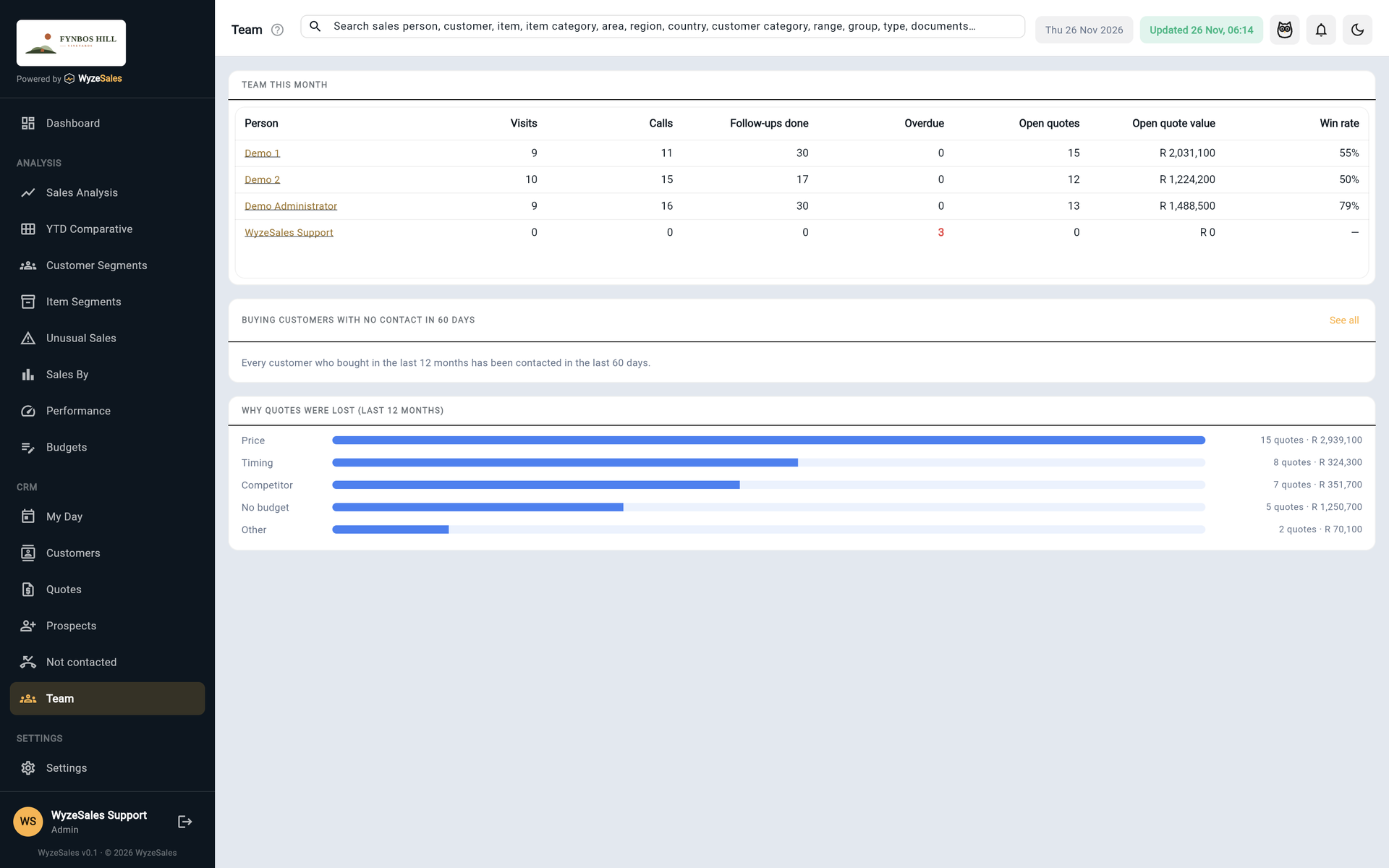
- Team view for managersPer rep: open and overdue follow-ups, activity in the last 7 and 30 days, open quotes and win rate.
- Not contactedCustomers who bought in the last 12 months but have had no contact in 30, 60 or 90 days, largest sales first.
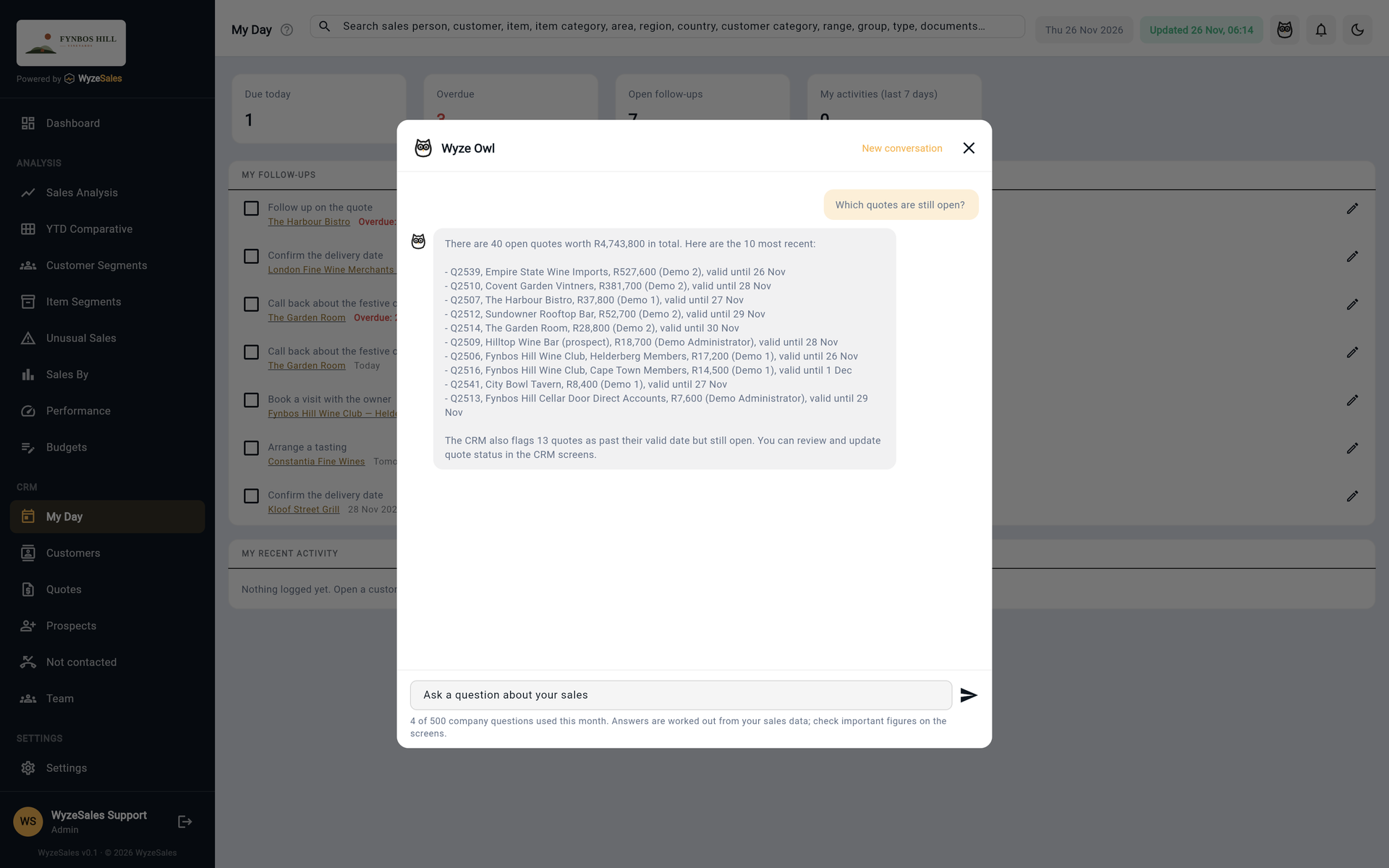
- Ask Wyze OwlWith Wyze Owl on, ask which quotes are open, who has overdue follow-ups or when a customer was last contacted.
- Each login sees only its ownThe same access rules as your sales: a rep sees their own customers, a branch manager their branch, an administrator everything.
The CRM sits inside a 360° view of your sales
It reads the same customers and reps as customer segmentation, AI Insights and sales analysis, so a customer page shows the sales and the conversations together. See the 360° view.
Frequently asked questions
Does the CRM cost extra?
Do we have to load our customers and reps?
Who can see what?
Does it change anything in our ERP?
What about the personal details of our contacts?
Can we still use our existing CRM?
Let's talk about your business
Tell us what ERP or accounting system you run and what you would like to see. We will show you how it looks on real numbers.