Know which products to push, protect and check on
WyzeSales looks at every item over the last 12 months and sorts it into a plain-English lifecycle segment such as Growing, Declining or Stopped. It also ranks each one A, B or C by how much of your sales it carries. It runs on your ERP data, refreshed every night.
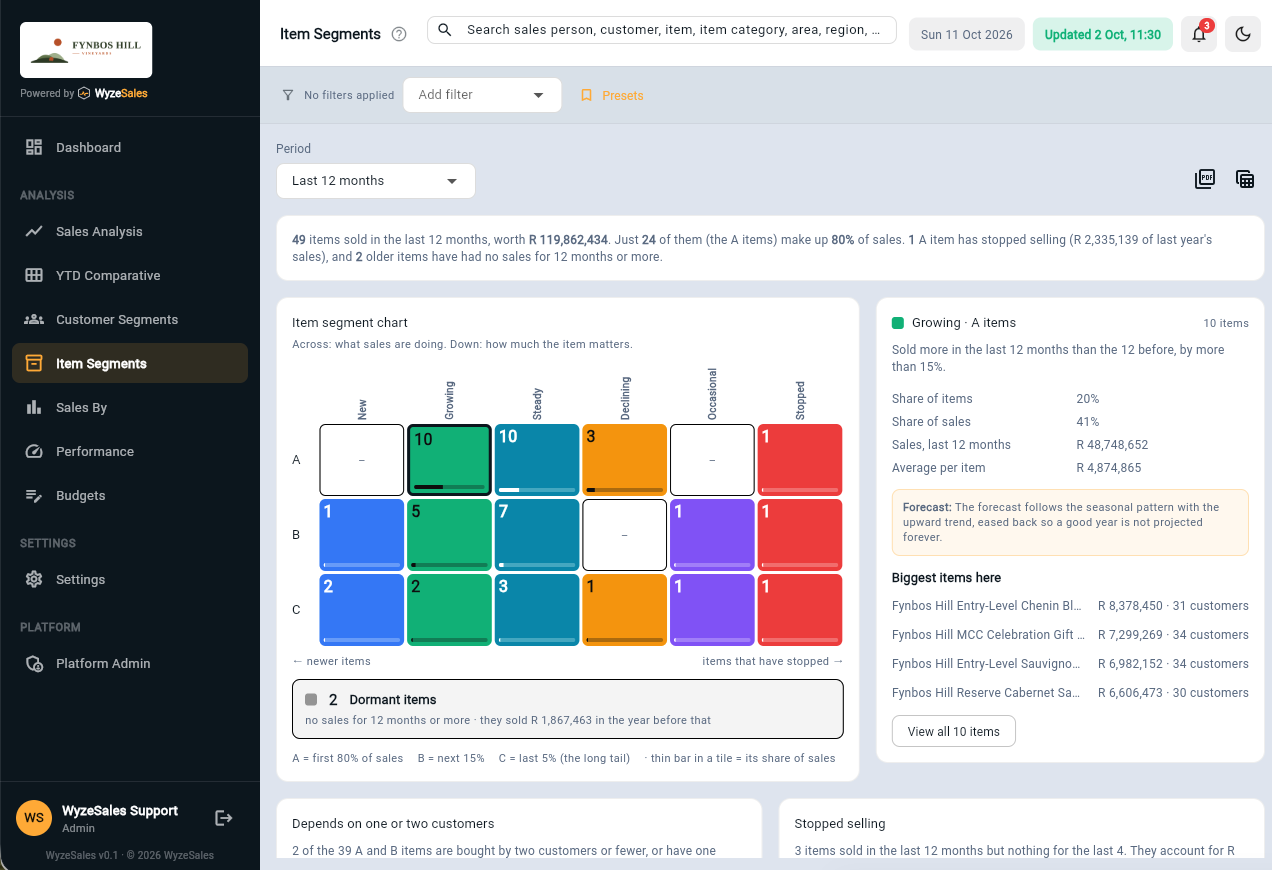
From a long item list to a short list of things to check
WyzeSales does the sorting for you, from the invoices already in your ERP.
Every item is assessed
Sales of each item over the last 12 complete months, invoices less credit notes, are compared with the 12 months before. Items that are new, or too young for a fair comparison, are handled separately so they are not judged unfairly.
Sorted by lifecycle and by A, B, C
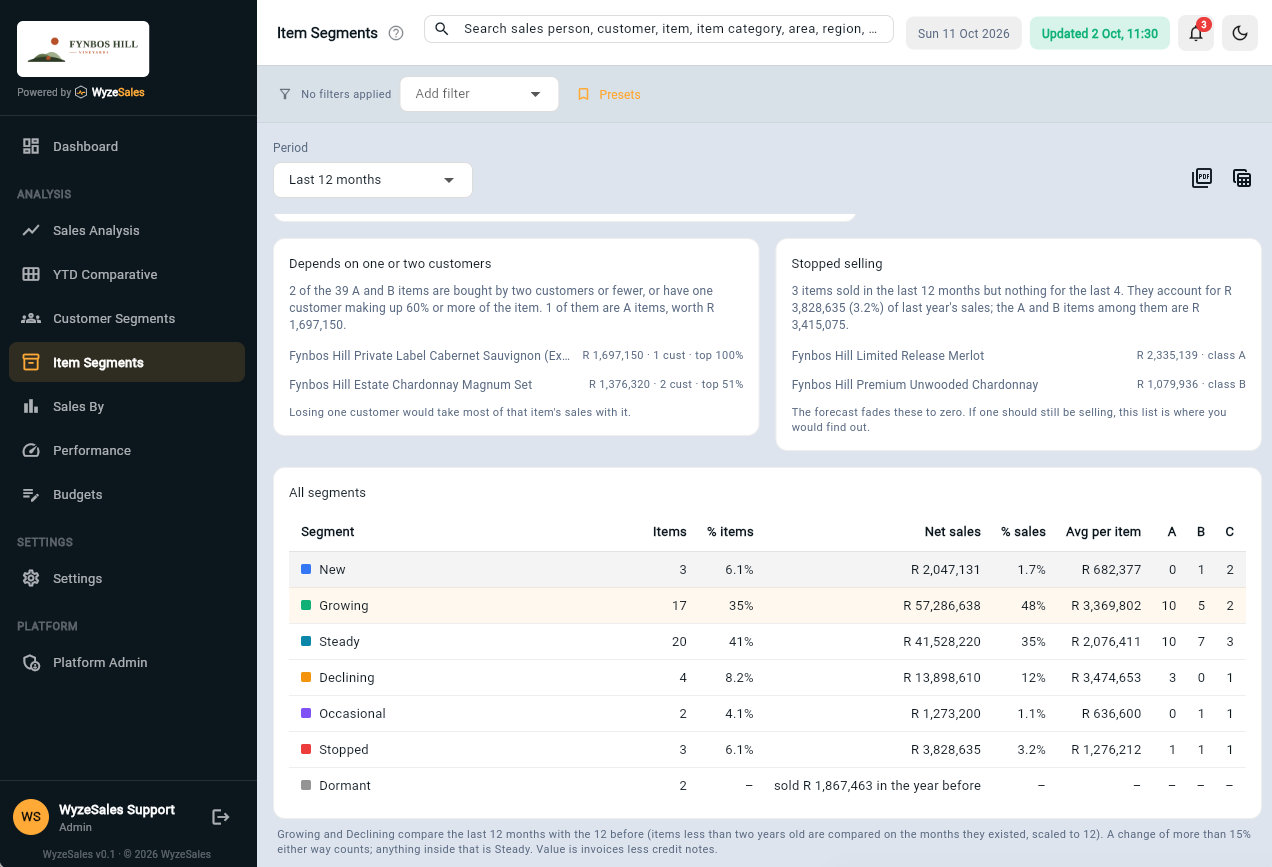
Six lifecycle segments, from New and Growing to Declining and Stopped, plus Dormant for items with no sale for a year or more. Each item is also ranked A, B or C: A items carry the first 80% of your sales, B the next 15% and C the last 5%.
Click through to the items
Choose a tile to see the items in it with their sales, number of customers and when they last sold, then jump straight into the item's sales.
Protect the products that carry your sales, and catch the ones that are drifting
- Find the big items that have stoppedAn A or B item in Stopped is the first place to look. It may be out of stock, delisted or lost to a competitor, and it is worth knowing which while there is still time to act.
- See which items carry the businessEvery item is ranked A, B or C, so you can see how much of your sales rests on how few products.
- Spot items that depend on one customerA and B items that sell to only one or two customers, or where one customer buys most of the item, are listed together, so you know where losing a single account would hurt.
- Know what the forecast does with each segmentEach segment explains how the seasonal forecast treats it. A growing item follows its trend, an occasional item is averaged, and a stopped item fades to zero.
- Keep the picture cleanFreight, tips and other non-stock lines can be left out, and the filters work by sales person, customer, category and branch.
- Always up to dateYour ERP data is synced every night, so the segments are ready each morning. No exports, no spreadsheets.
Item segmentation sits inside a 360° view of your sales
Use it alongside customer segmentation, sales analysis, targets and the seasonal forecast. See the 360° view.
Frequently asked questions
What is item segmentation?
What do A, B and C mean?
What is the difference between Stopped and Dormant?
How are Growing and Declining decided?
Can I see it for one sales person, customer or branch?
Will it work with my ERP?
Let's talk about your business
Tell us what ERP or accounting system you run and what you would like to see. We will show you how it looks on real numbers.